
AI SVG generator: turn text or an image into editable vectors
On this page
Open PictoGIF SVG mode and describe a graphic, or add one PNG, JPEG or WebP reference. Download a static native .svg, not its WebP preview. A reference requires an active credit balance above zero. Saved results, settings and references stay private for 7 days, then are automatically deleted together. Download the original file in time.
Convert an image to SVG
- Prepare one clear image within the 20 MiB limit. Logos, icons, flat illustrations, and line drawings are useful starting points.
- Select Pic to SVG. Image reference generation requires credits. Leave the prompt blank to convert the image, or enter your instructions. Text-only generation needs no reference image.
- Review the displayed price and generate. Sign-in is required.
- Download the SVG within 7 days and inspect it in your destination tool. The WebP is only a preview. Use prompt restores the model, prompt and reference; manual deletion or expiry removes the SVG, cover and reference together.
Separate an editable file from an editing app
PictoGIF generates the SVG file. It is not an on-site path editor and does not accept an existing SVG as an editable project. Use a compatible vector editor to modify shapes after downloading.
Check whether important lettering is still text or has become outlines. A static diagram made from SVG shapes does not preserve the node relationships of a diagram source such as Mermaid.

Two-color leaf: separate vector paths
Hand-authored SVG practice file, not an AI-generated sample. Change the fill of one leaf without recoloring the other.
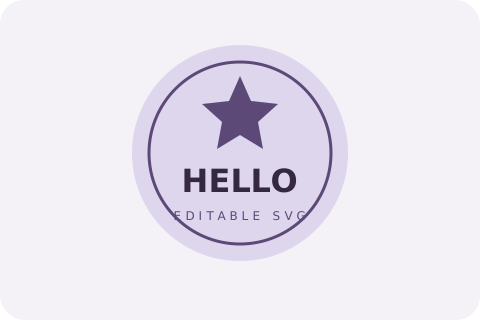
Badge: editable text and shapes
Hand-authored SVG practice file, not an AI-generated sample. The HELLO label remains a text element; its font depends on the editor.
Start with readable shapes
Use a clear silhouette and enough resolution to identify boundaries. Busy photographic backgrounds, fine hair, and subtle textures need more interpretation than a flat icon. Remove details you do not need.
Check every character and its spacing when lettering matters. AI conversion does not guarantee exact brand geometry, exact text, or a small number of paths.
Convert this icon into clean SVG. Preserve the rounded silhouette and its two original solid colors. Use a transparent background, closed shapes, and no embedded bitmap.
Use this promptChoose SVG for shapes and GIF for motion
SVG describes vector shapes and scales without a fixed raster grid. GIF stores raster frames for short looping animation. Converting a photograph to SVG interprets its shapes; it is not a lossless extension change.
PictoGIF accepts static, validated SVG. It rejects scripts, external resources, and embedded bitmaps. It does not trace paths locally or add animation to SVG.
Inspect the actual vector
Check corners, thin lines, holes, gradients, lettering, and transparency on light and dark backgrounds. Test the SVG in the destination browser or design tool, not just its WebP cover.
If an SVG generation fails, its cost is returned. The downloaded file is a static SVG.
Frequently asked questions
- What can PictoGIF create?
- PictoGIF creates animated GIFs from text and static SVG files from text or an image. You can also add captions to a GIF in your browser.
- Can I just rename .png to .svg?
- No. A vector file must contain valid SVG shapes. Renaming a raster file does not turn pixels into vector geometry.
- Can I generate SVG from text alone?
- Yes. Describe the artwork and generate without uploading an image. With an image and no text, PictoGIF adds preservation instructions. When you enter a prompt, it is used directly instead of the default conversion instructions.
- Can I upload GIF or an existing SVG?
- Pic to SVG accepts one PNG, JPEG, or WebP. It is not an SVG editor or a GIF-to-vector converter.
- Is SVG generation free?
- Get 3 free generations per day. Image reference generation requires credits.